Proposal software that doesn't take a cut of your client payments
Most proposal and client tools don't add a fee of their own: you pay your card processor and nothing more. HoneyBook is the exception in this group. It processes payments itself, with card fees its own page lists as both 2.7% + 10¢ and 2.9% + 25¢, and 1.5% on bank transfers. Plutio and ApeiroCraft say plainly that they take no cut.
The short answer
- HoneyBook charges its own card fees (2.7% + 10¢ and 2.9% + 25¢ both appear on its page) and 1.5% on bank transfers.
- Dubsado Payments lists 2.9% + $0.30 for US cards and 0.8% for ACH, and names no separate Dubsado fee.
- Plutio says “No transaction fees”. Moxie connects your own Stripe account.
- ApeiroCraft takes no cut: the client pays through your own payment link.
- Card processors charge their own fee wherever you take the payment.
Payment fees by tool
| Tool | Who processes the payment | Fee the tool states | Source |
|---|---|---|---|
| ApeiroCraft | Your own payment link (your processor) | None. We charge the subscription only; your processor charges its usual fee | apeirocraft.tech/pricing |
| HoneyBook | HoneyBook | Card fees listed as both 2.7% + 10¢ and 2.9% + 25¢ on its own page; bank transfers 1.5%; instant deposit 1% | honeybook.com/pricing |
| Dubsado | Dubsado Payments (built on Stripe) | US cards 2.9% + $0.30, international cards 4.4% + $0.30, ACH 0.8% up to $5. No separate Dubsado fee is named | help.dubsado.com |
| Plutio | Your Stripe or PayPal account | “No transaction fees”; your processor still charges its standard fees | plutio.com/pricing |
| Moxie | Your Stripe account | No Moxie fee mentioned; its help pages say Stripe sets the processing fees | help.withmoxie.com |
| Hello Bonsai | Bonsai | Processing fees that “vary depending on the payment method used”; exact rates aren't on its pricing page | hellobonsai.com/pricing |
Each fee read on the vendor's own page on 22 November 2026. Bonsai's help article on rates couldn't be opened, so no Bonsai rate is quoted.
What a fee costs on one deposit
On a $5,000 deposit, HoneyBook's card fee comes to $135.10 at 2.7% + 10¢ or $145.25 at 2.9% + 25¢, on top of the subscription. On a $1,000 bank transfer it's $15. Where the tool adds no fee, you pay only what your own processor charges for the same payment.
When paying the platform fee makes sense
If you want card processing built into the same tool and you're based in the US, Canada, the UK or Australia, HoneyBook's fee buys you one place for booking, contracts and payments. It's a fair trade for some studios; the HoneyBook pricing breakdown has the plans as well as the fees.
How “no cut” works in ApeiroCraft
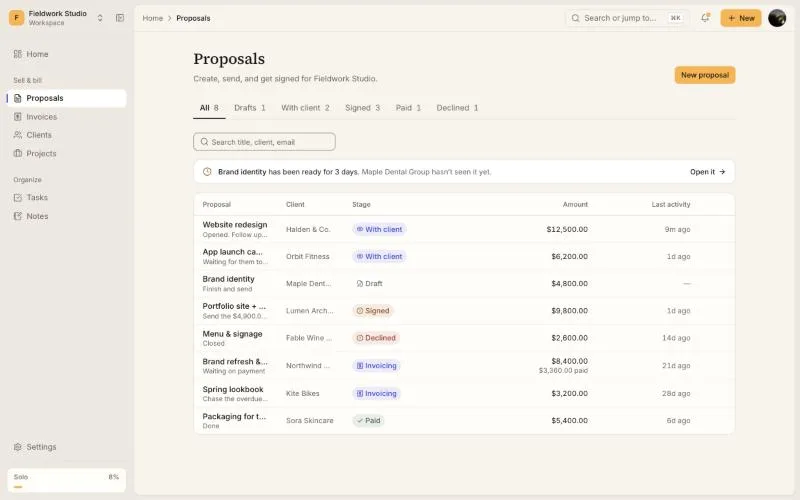
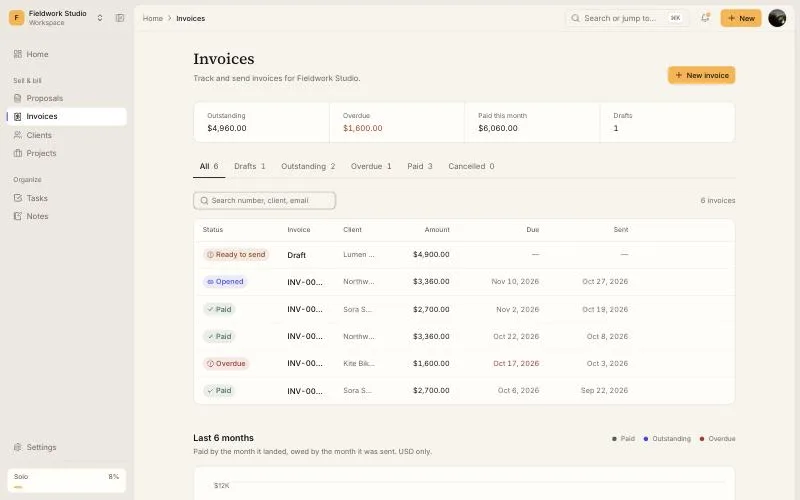
You add your own payment link (Stripe, PayPal, Wise or bank details) to your invoices. When the client signs the proposal, the deposit invoice is drafted with that link on it, and each later stage of a payment schedule becomes its own invoice when it's due. The client pays you directly. We charge the subscription and nothing on the payment.
Comparing whole tools rather than fees? See the HoneyBook alternatives or every tool's plans on proposal software pricing.
Payment fee questions
- Which client management apps don't take a percentage of client payments?
- Of the tools checked here, ApeiroCraft and Plutio say plainly that they take no cut: the client pays through your own payment link or processor, which charges its usual fee. Moxie connects your own Stripe account and mentions no fee of its own. HoneyBook processes payments itself and charges card and bank-transfer fees.
- What percentage does HoneyBook take from payments?
- HoneyBook's own pricing page lists card fees as both 2.7% + 10¢ (its fees section) and 2.9% + 25¢ (its plan table), without saying which applies, plus 1.5% on bank transfers and 1% for instant deposit. On a $5,000 deposit that's $135.10 or $145.25 by card.
- Does HoneyBook charge a credit card fee?
- Yes. HoneyBook processes card payments itself, and its pricing page says card fees start at 2.7% + 10¢ while its plan comparison says from 2.9% + 25¢. These are on top of the monthly subscription.
- Does ApeiroCraft take a cut of my payments?
- No. You put your own payment link on the invoice, and the client pays you directly. ApeiroCraft charges only the subscription: free, then $19, $79 or $149 a month. When a client signs, the deposit invoice is drafted with your payment link on it.
- Will I still pay card fees?
- Yes, to whichever processor takes the payment. No tool removes that: a card network fee is charged wherever the card is used. What you can avoid is a second layer, a platform taking its own processing margin on top of the subscription.
Keep the whole payment
Send the proposal as one link. When the client signs, the deposit invoice is drafted with your own payment link on it. Solo is $19 a month for up to 3 people, and there's a free plan to start.
Start free